Creative Feed: Your Video Asset Catalogue as a Live Product Feed
Export the output of your modular templates and creative compatibility as a live XML feed. Use it in Smartly, Adlayer, Cape, and other solutions, and treat your video creatives like a product feed that scales.
The creative feed is where scaled creative becomes usable by your ad stack. You design modular templates, assign assets, set compatibility rules, and the system generates every valid ad combination. The feed exposes that set as a live XML feed, so platforms like Smartly, Adlayer, Cape, and Channable can consume your video asset catalogue the same way they consume product feeds. Thousands of finished, unique ad creatives, delivered as a feed.
Building blocks that combine into a huge amount of unique ad creatives
In Variads, assets are building blocks. A hook video, a product clip, a value-prop card, a CTA; each is a single asset. On their own they are just pieces. Together, combined according to your template structure and your compatibility rules, they form finished ad creatives. The same blocks recombine in unique ways: hook A with product B and CTA C in one ad; hook A with product D and CTA C in another; hook B with product B and CTA D in a third. The number of valid combinations grows quickly. A modest library of building blocks can yield hundreds or thousands of distinct ads.
The creative feed is the output of that combinatorics. Every valid combination (every ad that fits your template and passes your compatibility rules) is represented in the feed. So you are not exporting a fixed list of creatives; you are exporting a live, up-to-date set of everything the system can build from your current templates, assets, and rules. Add a new hook or product shot, update compatibility, and the feed reflects it. Building blocks come together in unique ways; the feed exposes the full set of finished, unique creatives that result.
Live XML feed
The creative feed is a hosted, live XML feed. It is not a one-time export; it is a URL that ad platforms and marketing tools can poll or ingest. When you add assets, change compatibility, or update your templates, the feed updates. Your video asset catalogue behaves like a product feed: always current, always reflecting the full set of valid creatives.
Use it in Smartly, Adlayer, Cape, and more
Many teams already use product feeds (e.g. XML or CSV) in solutions like Smartly, Adlayer, Cape, Channable, or other marketing automation and ad platforms. Those systems expect a feed of items (products or creatives) with attributes and URLs. Variads’ creative feed outputs your video creatives in that format. So you can connect your Variads feed to Smartly, Adlayer, Cape, or similar tools and treat your video asset catalogue as a product feed: the same workflow, but for scaled creative instead of product data.
External product feeds as a cell type in the template
Variads goes a step further: we support external product feeds as a cell type in the modular template. So in addition to your own video, image, and text assets, you can attach a live product feed (e.g. from your e‑commerce or catalog system). That product data can be used in two ways. First, in rendered video ads: a cell in the template can be driven by product feed data (e.g. product name, image, or dynamic text), so the same template can produce creatives that vary by product. Second, in the hosted XML creative feed: the feed we expose can include both your creative combinations and the live product feed data, so platforms like Smartly, Adlayer, or Cape receive one unified feed (creative variants plus product attributes) and can match creatives to products or campaigns accordingly.
So you are not only exporting a feed of video creatives; you can export a feed that blends creative building blocks with live product data. That makes it possible to run creative–product combinations at scale: the right creative structure with the right product in the right cell, all expressed in the same XML feed that your ad stack already knows how to consume.
How the creative feed fits in the pipeline
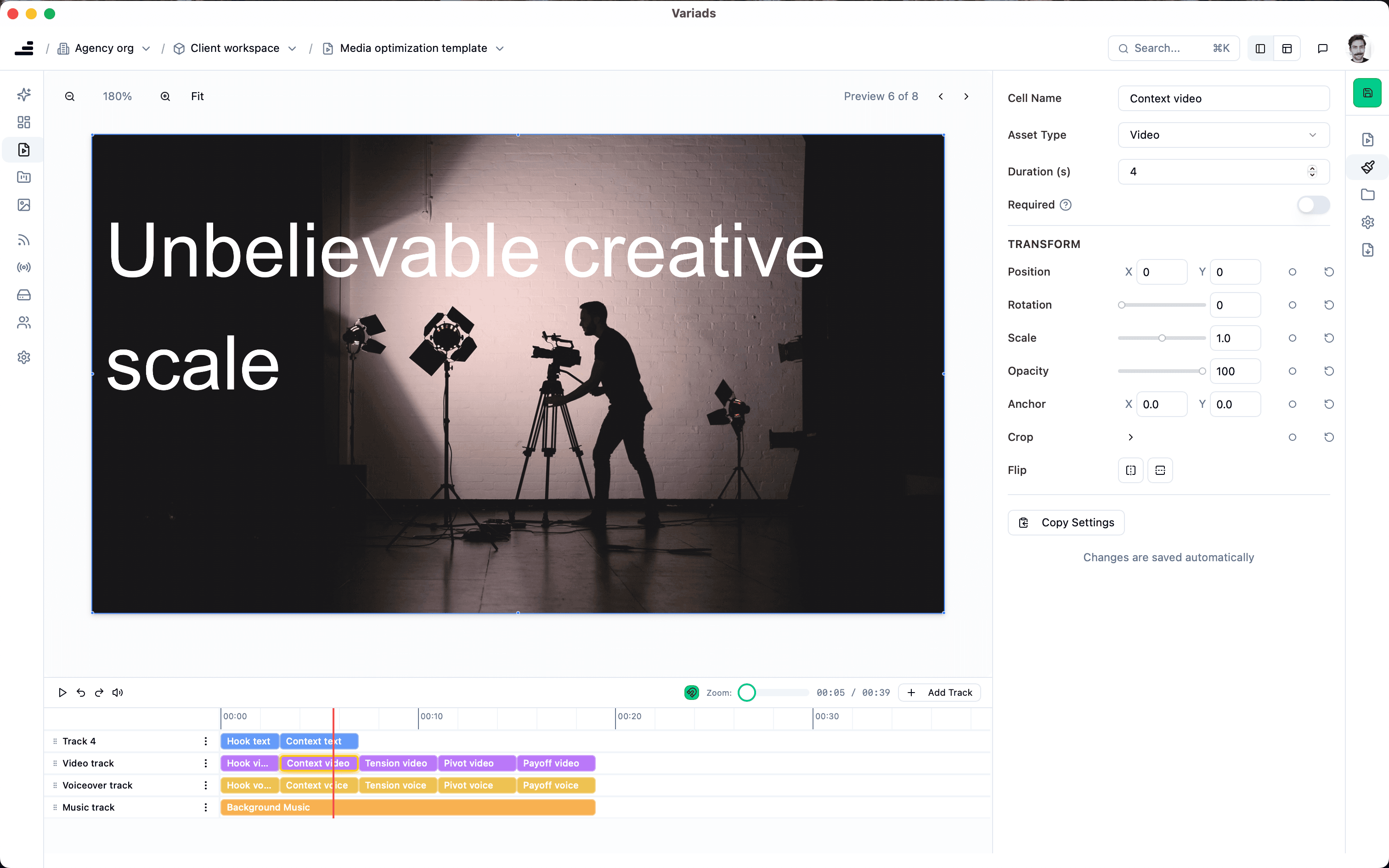
The creative feed sits at the end of the Variads pipeline. You design modular templates (timelines with cells). You add assets and define creative compatibility (which assets can appear together). Optionally you connect an external product feed to a cell type. The system then generates every valid combination. The creative feed is the export layer: it exposes that set as a live XML feed.
- Templates + assets + compatibility: Define structure, fill with building blocks, set rules. The system produces every valid ad.
- Optional: external product feed: Attach a product feed to a cell type. Product data flows into both rendered creatives and the feed output.
- Hosted XML feed: The creative feed URL serves the full set of valid creatives (and product data, if configured) as XML. Always up to date.
- Connect to your stack: Point Smartly, Adlayer, Cape, Channable, or other tools at the feed URL. They treat your video catalogue like a product feed.
Why a live feed instead of one-off exports
- Always current. Add or change assets and compatibility; the feed reflects it. No re-exporting and re-uploading.
- One source of truth. Downstream tools pull from one URL. No version drift between “the list we exported” and “what’s actually valid now.”
- Fits how ad platforms work. Many platforms are built to ingest feeds. Giving them a live creative feed lets you use the same workflows you use for product or catalog feeds, but for video creatives.
- Scale without manual handoff. Thousands of valid creatives can flow from Variads to Smartly, Adlayer, Cape, or others without someone manually exporting and uploading files.
From building blocks to finished creatives, delivered as a feed
The creative feed is the bridge between Variads and the rest of your ad stack. Your modular templates and creative compatibility produce a large set of valid ad combinations. The feed exposes that set as a live XML feed so you can treat your video asset catalogue like a product feed in Smartly, Adlayer, Cape, and similar solutions. With support for external product feeds as a cell type, you can also blend live product data into both rendered video ads and the hosted feed: one pipeline from building blocks to scaled, unique creatives, delivered the way your stack expects.
So: design once with templates and compatibility, then let the creative feed keep your ad platforms updated with every valid creative you can build (and optionally with live product data), all from a single feed URL.
The bottom line
The creative feed turns your video asset catalogue into a live, consumable product feed. Assets are building blocks; they combine in unique ways under your template and compatibility rules to produce a huge amount of finished, unique ad creatives. Export that set as a hosted XML feed and connect it to Smartly, Adlayer, Cape, Channable, or other solutions. Optionally, attach external product feeds as a cell type and include live product data in both rendered ads and the feed. One feed URL, always up to date, so your ad stack can treat creative the same way it treats product data at scale.
Variads builds the pipeline: templates define structure, compatibility defines which combinations are valid, and the creative feed delivers the result to the tools you already use.